Customers
A customer is an external user who uses Fintech360 products to trade on the stock market.
Use the Customers section to work with your leads, clients, and depositors, retain and guide them in trading.

To find a customer, you can use filtering and sorting tools or a search bar.
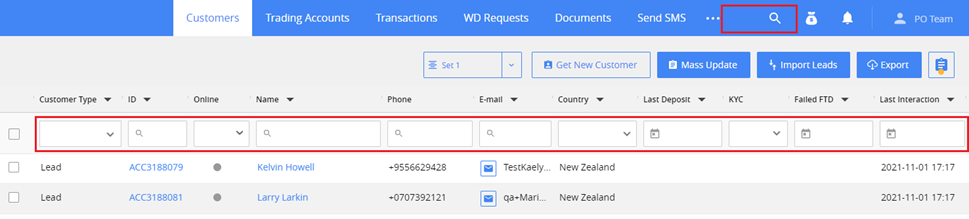
Leads, Clients, Depositors
There are the following types of customers:
- Lead: a potential client who does not have an account with login credentials.
- Client: a customer who completed registration and has an account with credentials to log in to the Client Area.
- Depositor: a client who made at least one approved deposit to trading.
A customer goes through these stages in a nurturing process:
- A lead can be imported from Excel or created automatically after submitting a web form by a potential client.
- A client can be converted from lead manually (by clicking the Convert to client button in the lead card) or added automatically after creating an account by the client.
- A client automatically becomes a depositor after putting in the first deposit.
Permissions: To convert the lead to the customer manually, you must have Customers > Convert lead permission.
Online indicator
When a client or depositor browses any website page, you will see a green online indicator in the grid.
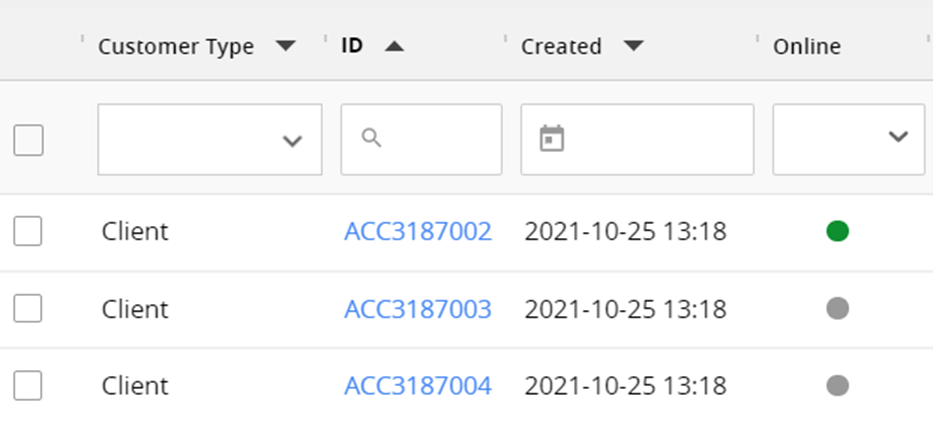
A customer is considered online within five minutes after opening a page.
You can find the same indicator on the customer page.
Note: To get the latest customer online status, you need to refresh the page.